Cantonese on iPhone & iPad
English | 廣東話 (測試版)How to write, type, listen, dictate, and use Siri in Cantonese with your Apple iPhone or iPad.
Write
To input Chinese by Handwriting or strokes:
- Go to Settings > General > Keyboards
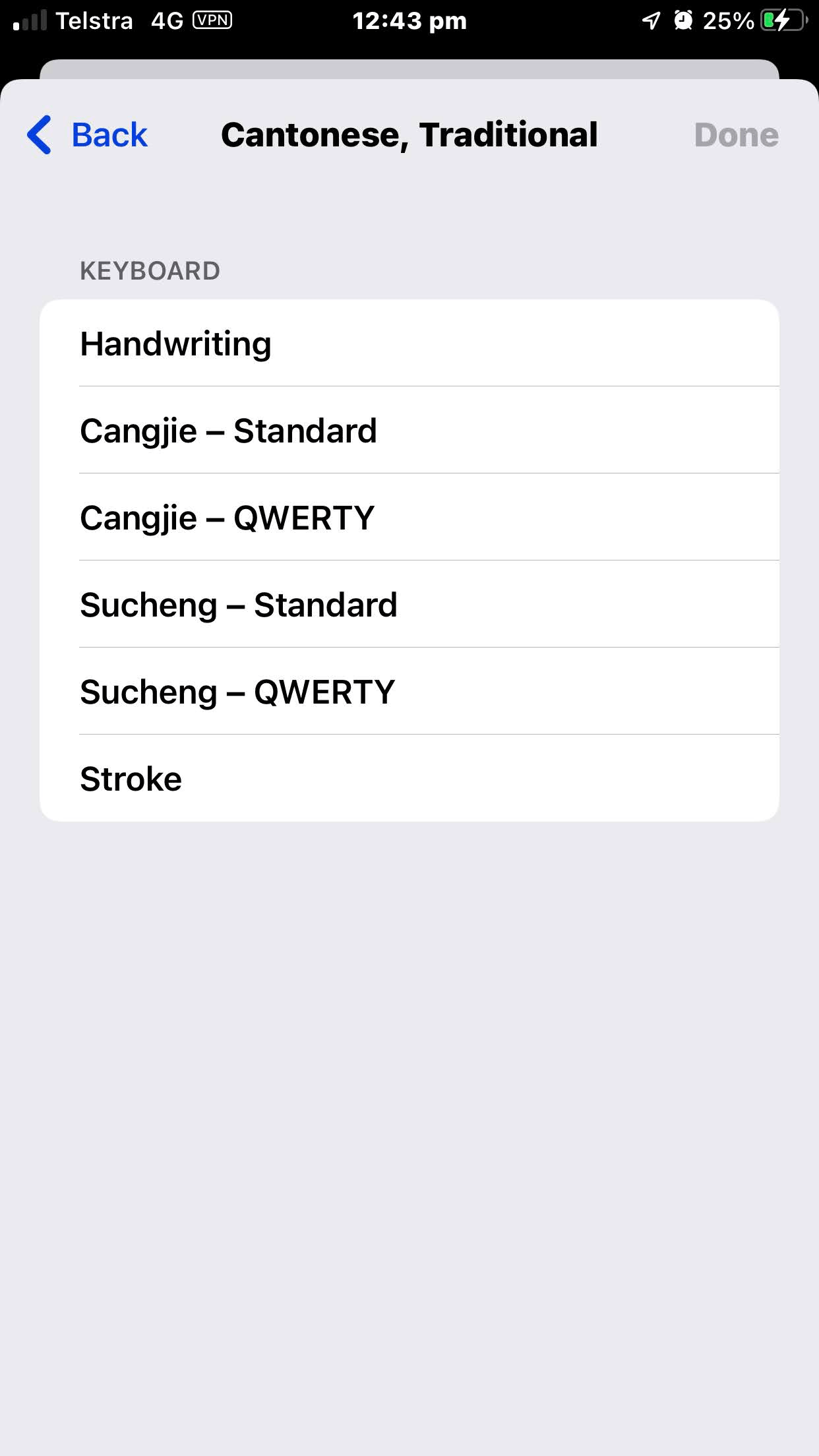
- Tap on Keyboards > Add New Keyboard … > Cantonese, Traditional (繁體廣東話)
- Select your preferences:
- ‘Handwriting’ (手寫)
- ‘Stroke’ (筆畫)
- ‘Cangjie’ (倉頡), & 'Sucheng' (速成) (Simplified Cangjie)
|
Handwriting 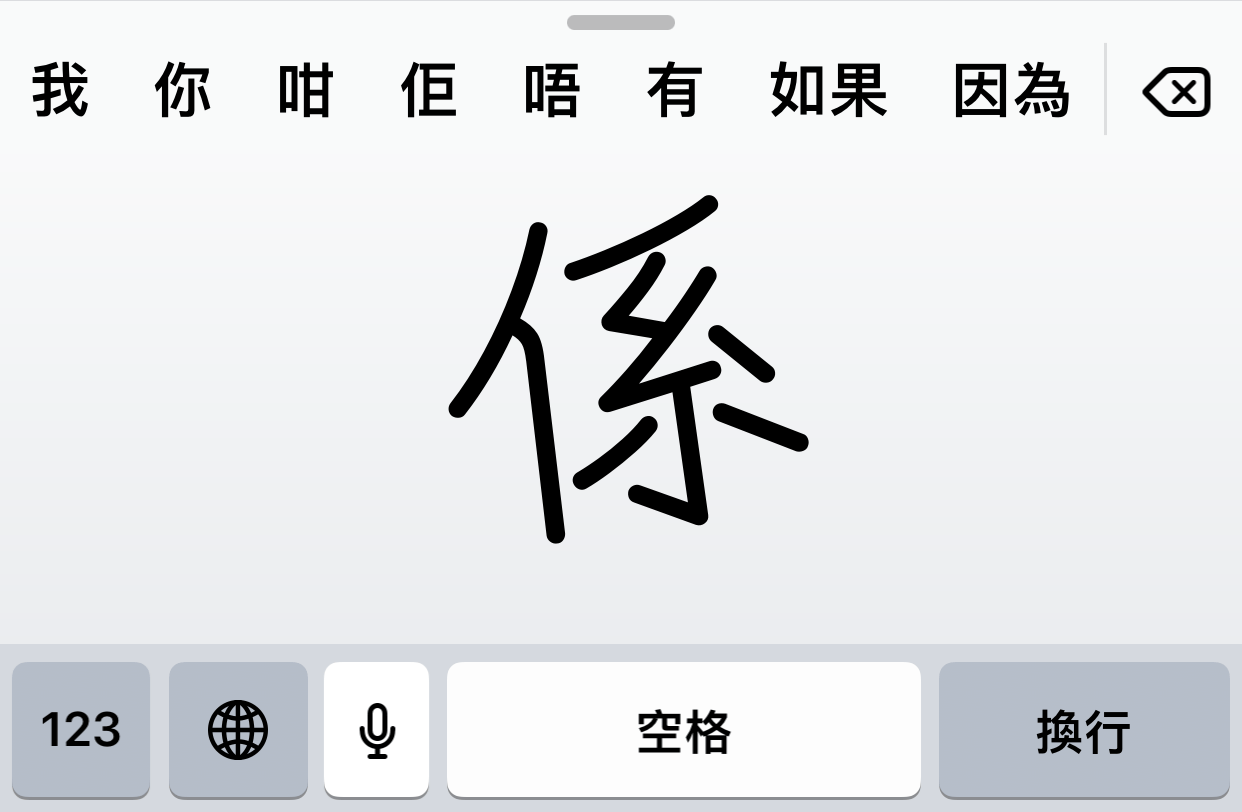
|
Stroke 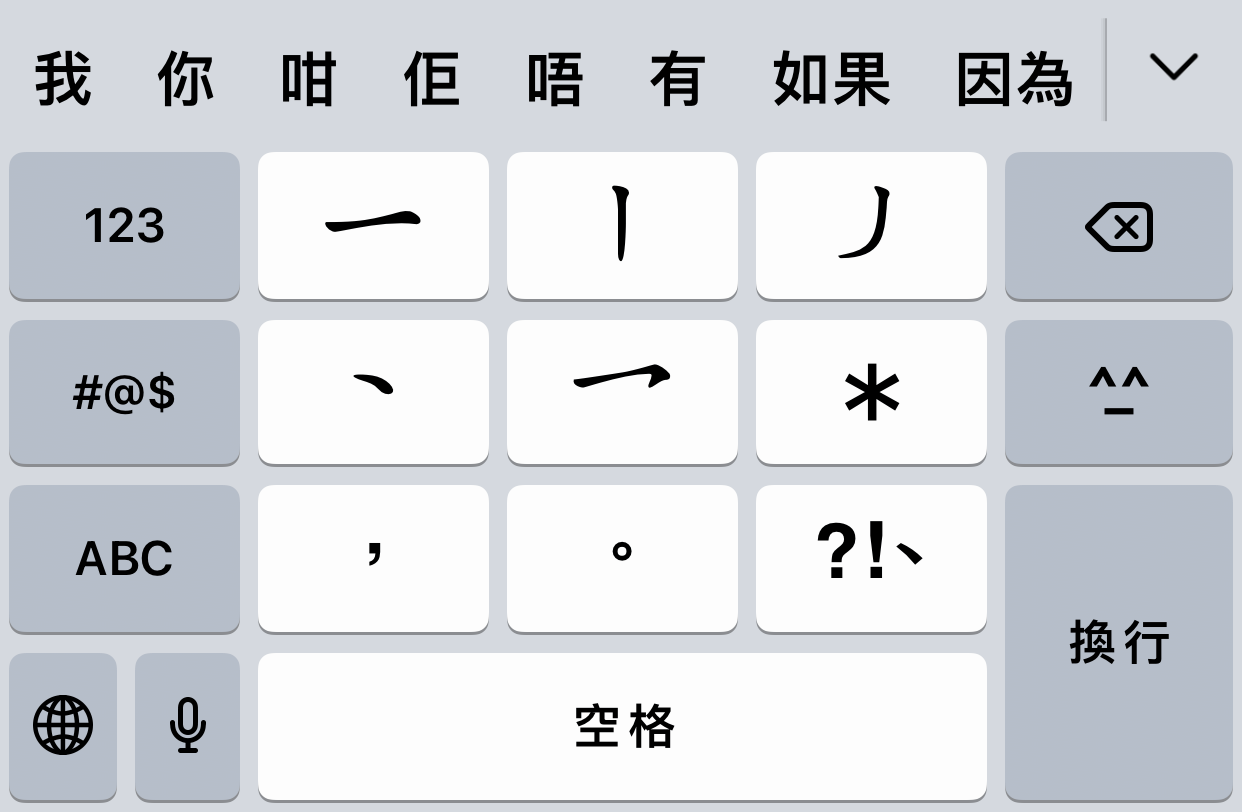
|
Cangjie & Sucheng 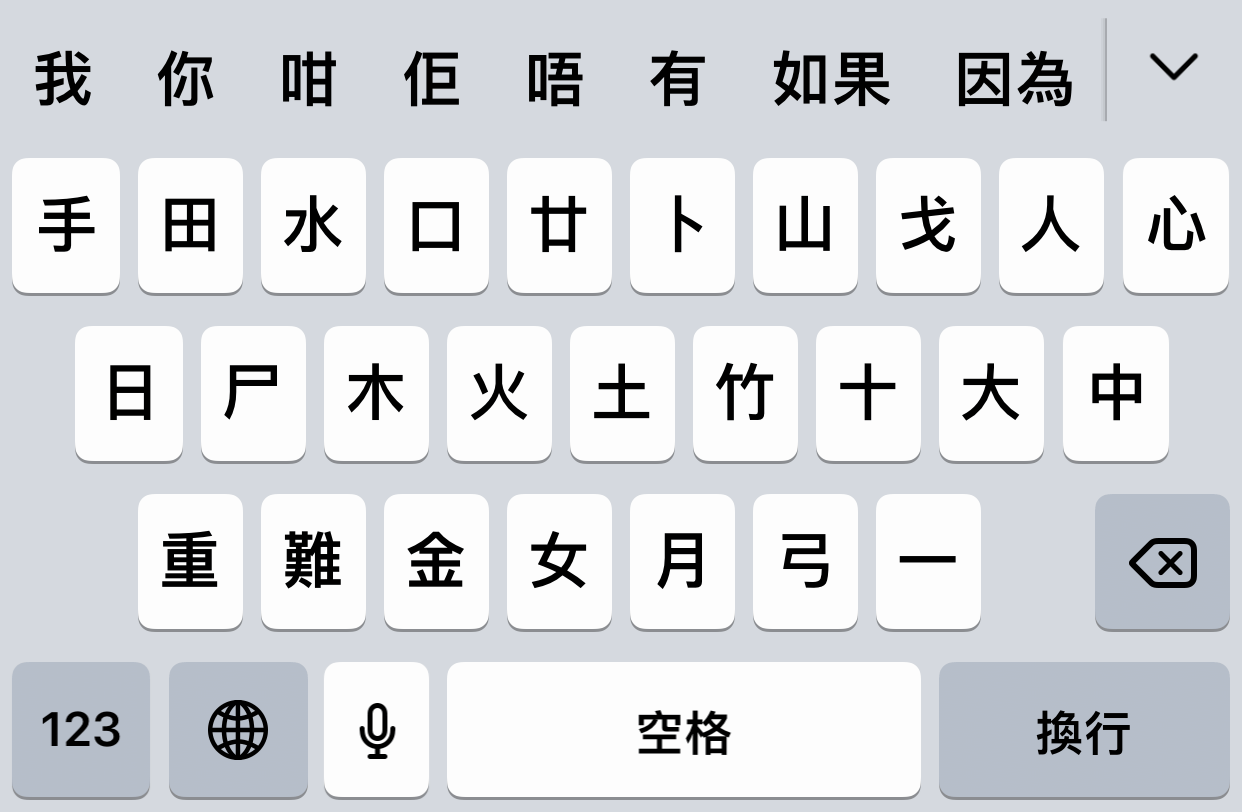
|
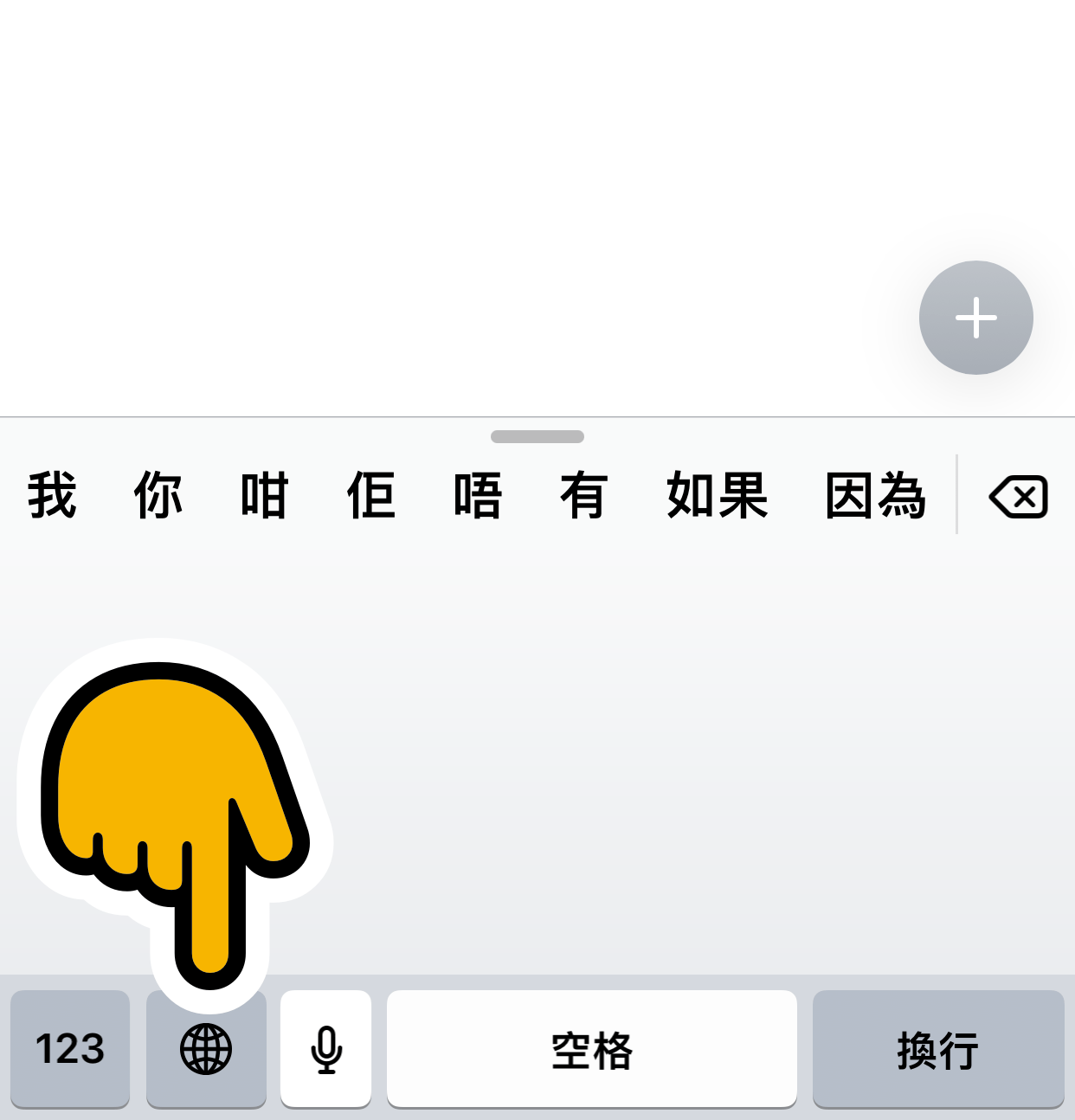
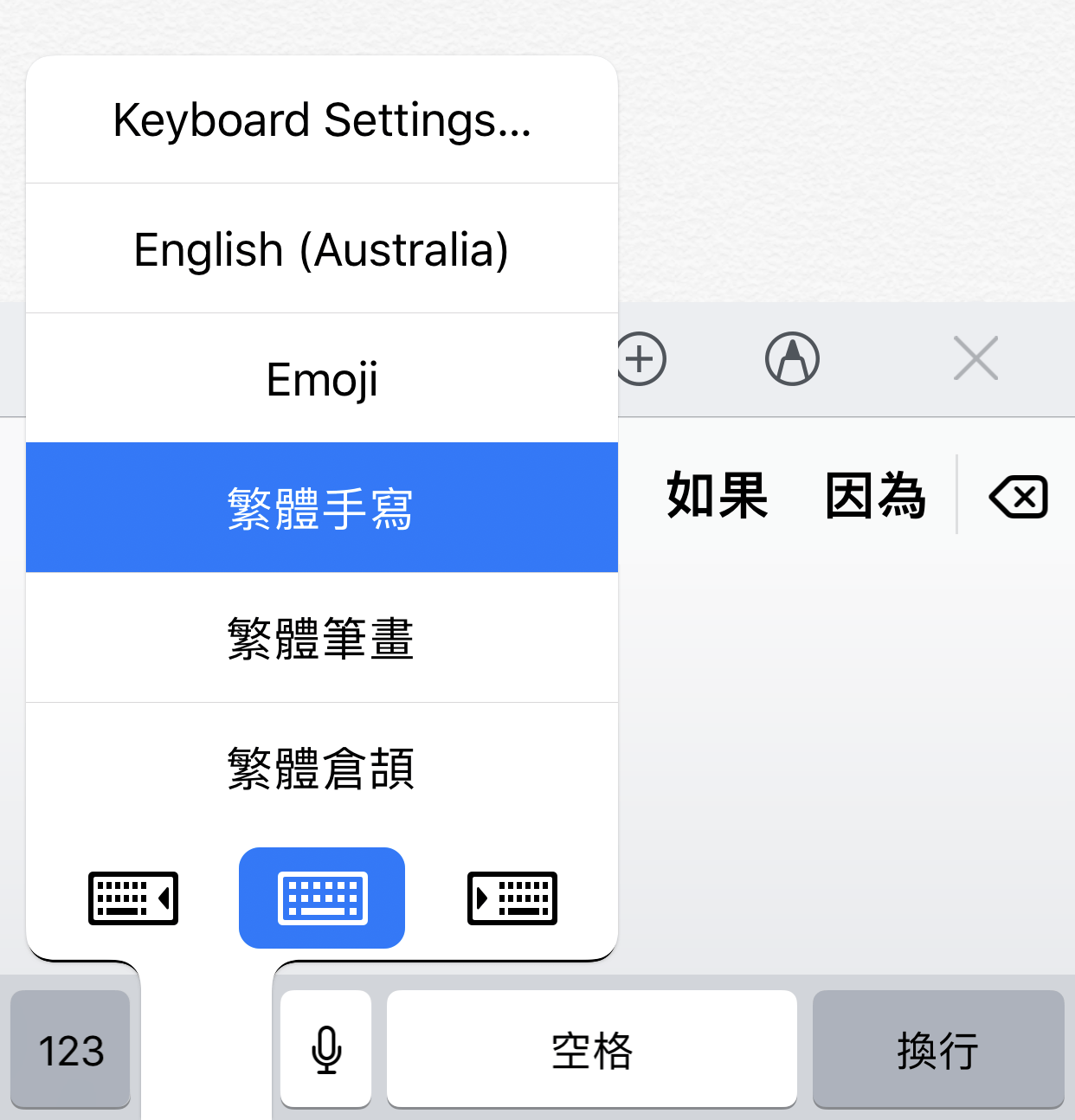
Now, wherever you see the keyboard, you can Hold the Globe icon ( 🌐 ) and select the keyboard you want.
|
|
Type
Cantonese can be typed using different romanization (pronunciation) methods. These include Jyutping (粵拼 | jyut⁶ ping³), Yale (耶魯 | yèh-lóuh), Sidney Lau, Cantonese Pinyin, Guangdong Romanization, and 'Lazy Sound' (懶音 | laan⁵ jam¹).
Jyutping and Yale are two of the most popular Cantonese input methods. Jyutping is more modern, technologically supported, and represents more sounds. Yale is more intuitive to native English speakers, has a longer history, and can be found in many traditional resources. It is easy to switch between both (jyut⁶ ping³, yèh lóuh).
Typing Cantonese on an iPhone or iPad is officially supported by Apple. This was introduced in 2022 with iOS 16 (allowing for Jyutping, and Yale).
- Go to Settings > General > Keyboards
- Tap on Keyboards > Add New Keyboard … Cantonese, Traditional (繁體廣東話)
- Select the Cantonese Phonetic Input Method
Alternatively, there are plenty of third party keyboards that can be used to type Cantonese on an iPhone or iPad. These include:
- Cantoboard (Jyutping and Yale) (Open Source)
- CantoKey 粵拼輸入法 (Jyutping)
- 廣東話輸入法
- 廣東話鍵盤
- 迪迪輸入法 - 廣東話輸入法
- Google Keyboard (Based on Yale. No Jyutping for iOS.)
Dictate
*Note: These instructions are for devices running iOS 11 or higher.
To input Cantonese Chinese by speaking to your iPhone (Speech to Text):
- Go to Settings > General > Keyboard
- Ensure “Enable Dictation” is On
- Select Dictation Languages
- Select Cantonese
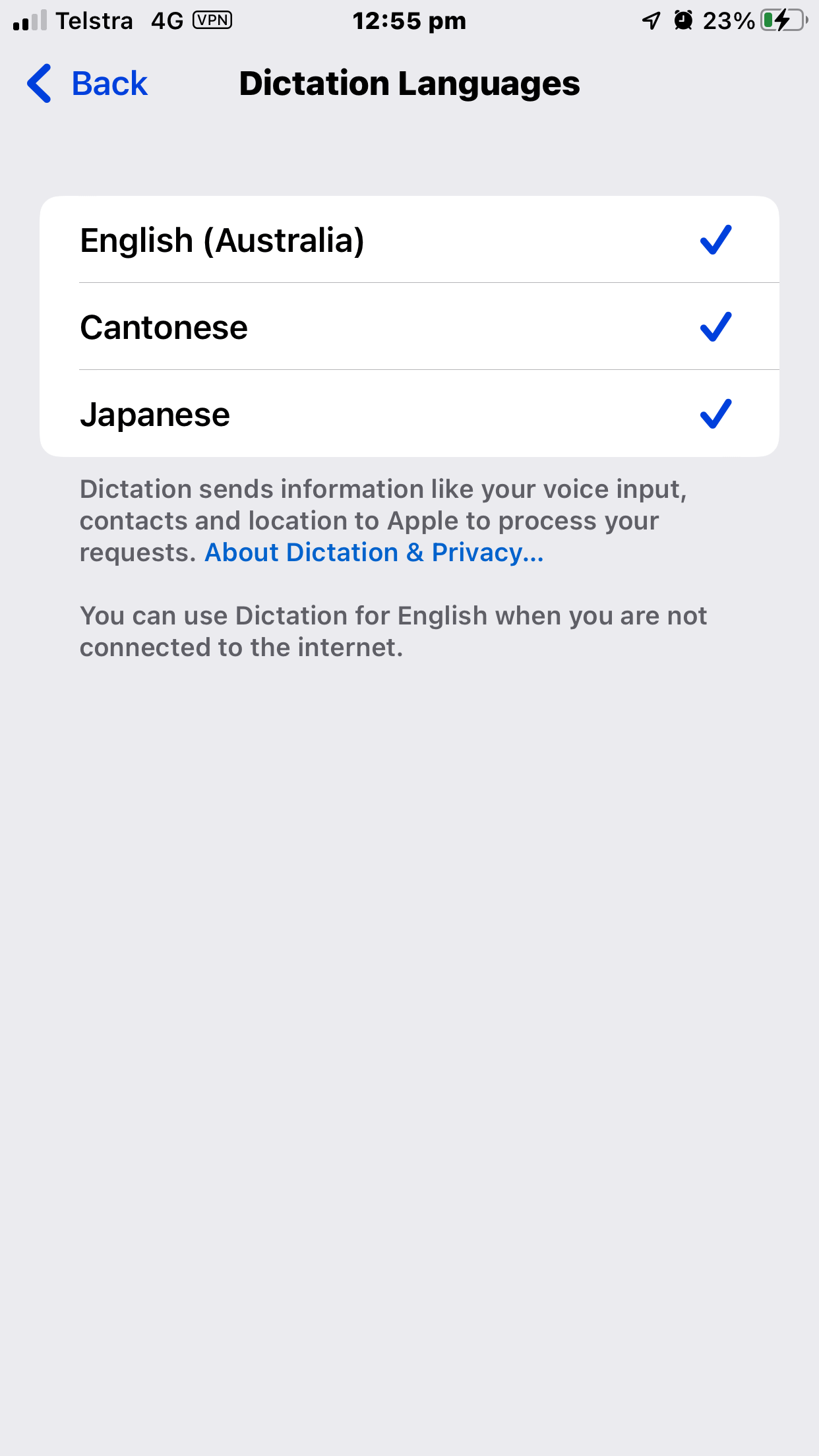
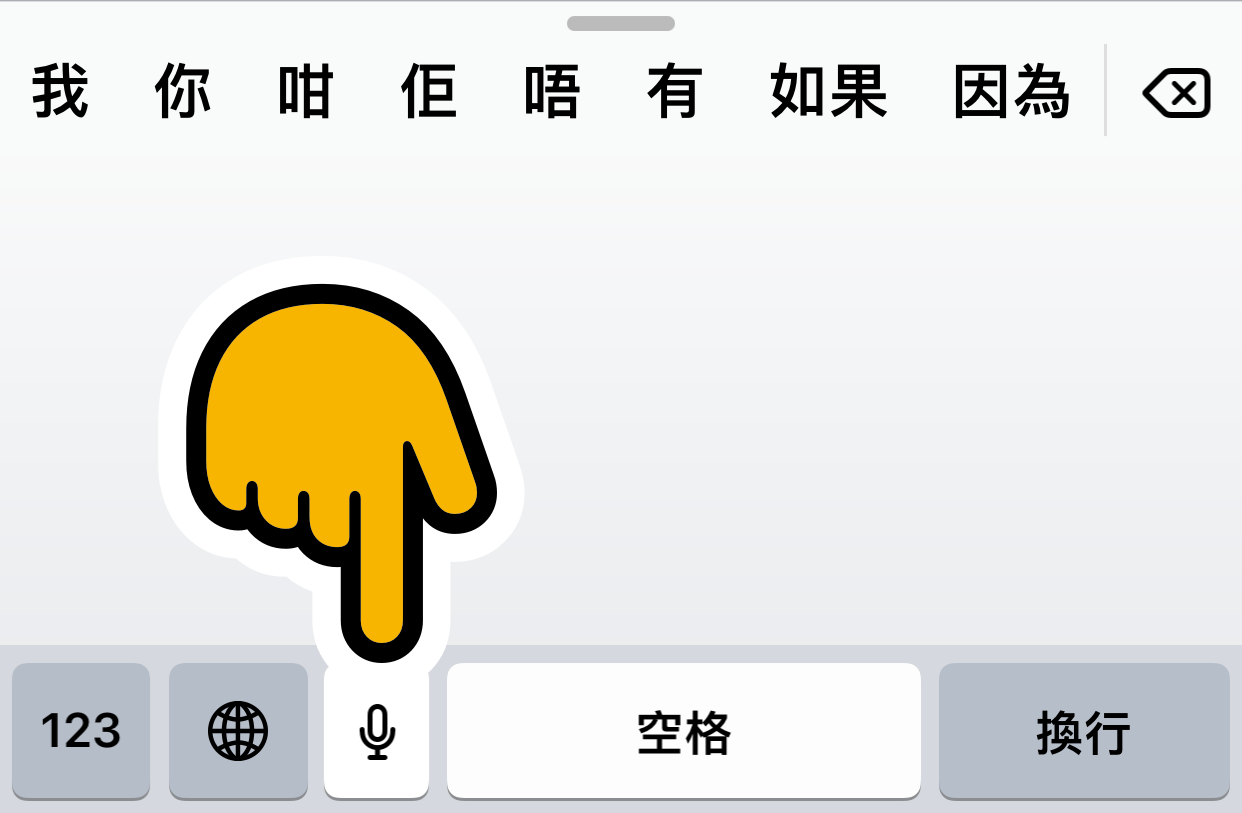
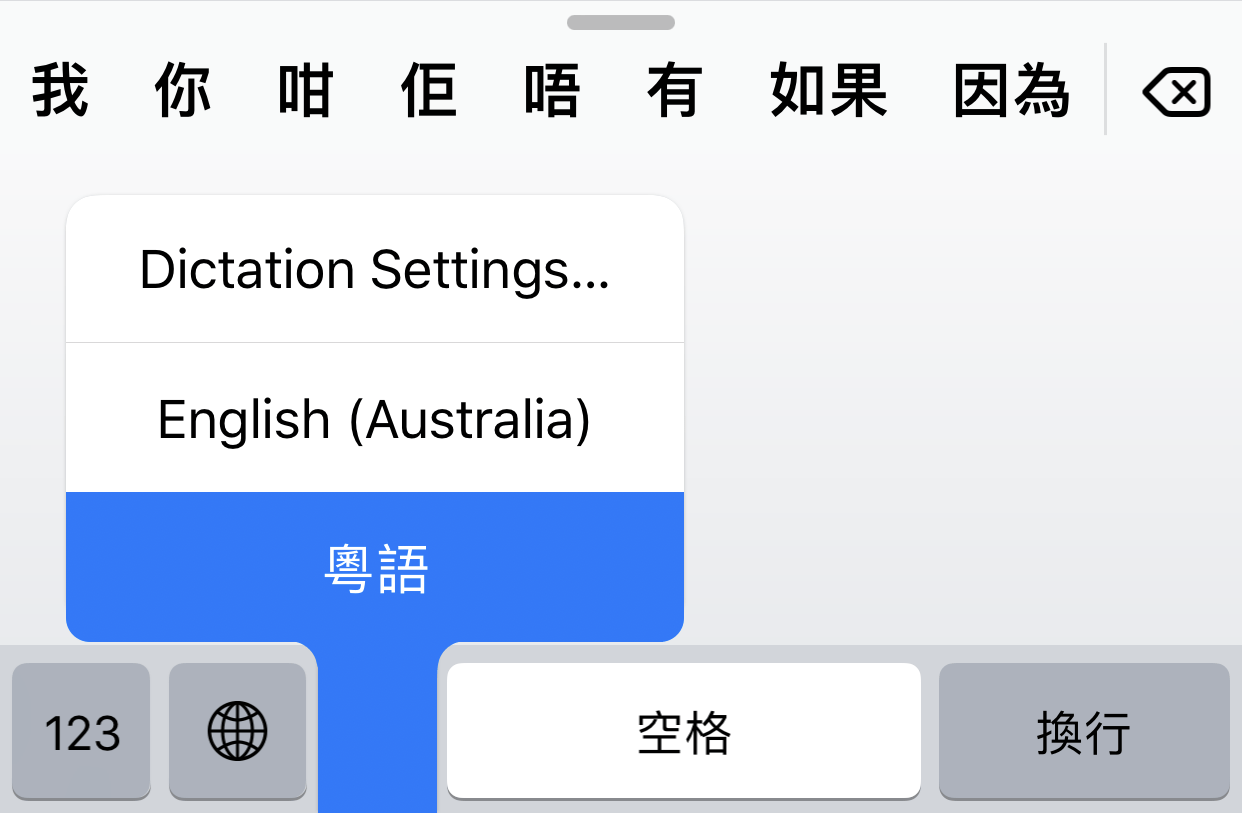
Now, wherever you see the keyboard, you can hold the Dictation button ( ) and select Cantonese (粵語). You can also hold the Globe button ( 🌐 ) when dictating to change languages.
|
|

|
Note: You must have a default Chinese input method, before being able to dictate in Cantonese (see “Write” section).
Note 2: To use punctuation, you would say "問號" for "?", "感嘆號" for "!", and "句號" for "。".
Listen (TTS)
To get your iPhone to read out Cantonese Chinese text (Text To Speech):
-
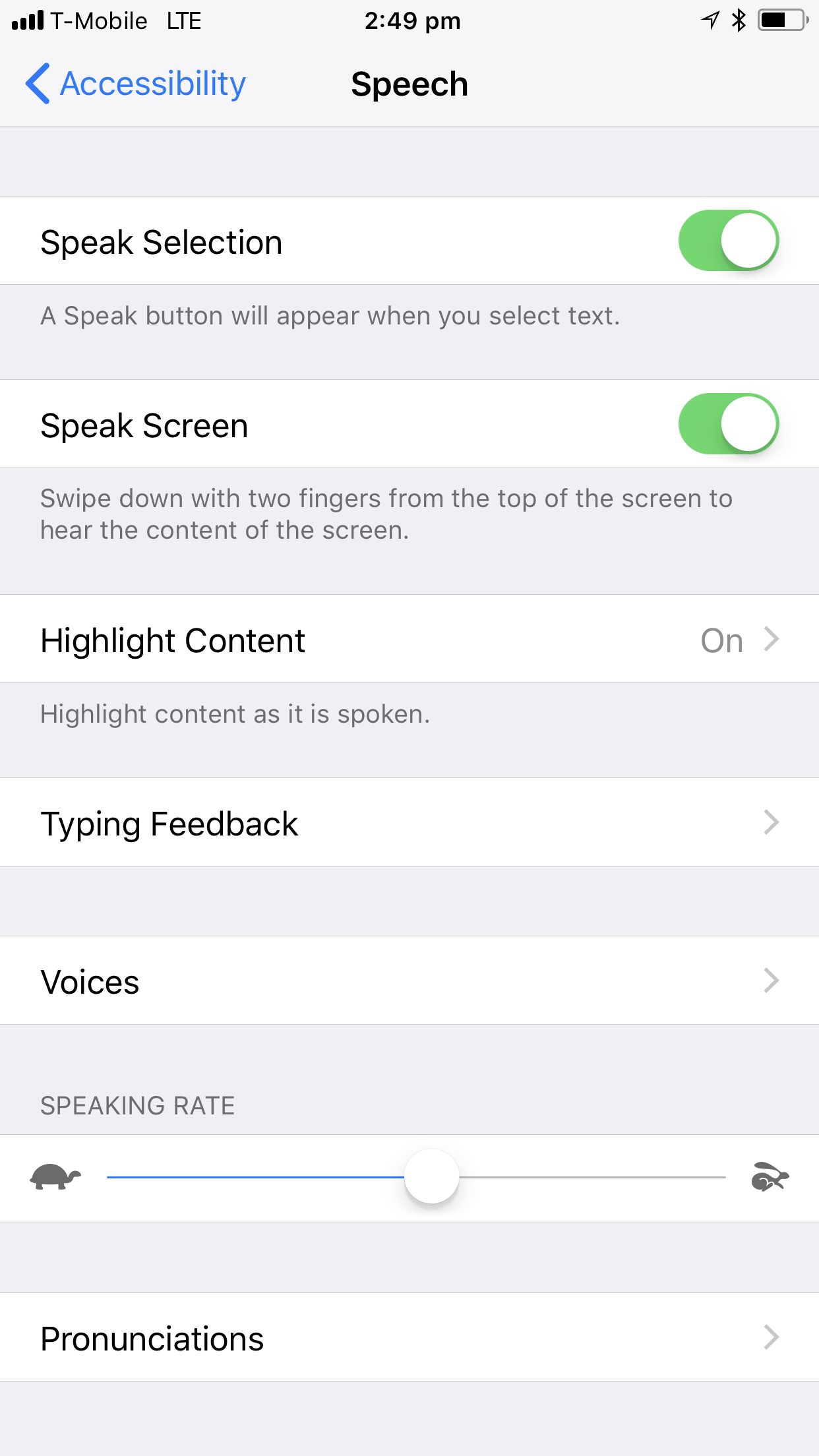
Go to Settings > Accessibility > Spoken Content, and turn on .
( If you're on iOS 12 or older, this is: Settings > General > Accessibility > Speech ) - Turn on “Speak Selection”.
-
(Optional) You can also turn on “Speak Screen”. This allows you to hear the content of the screen when you swipe down with two fingers from the top of the screen.
-
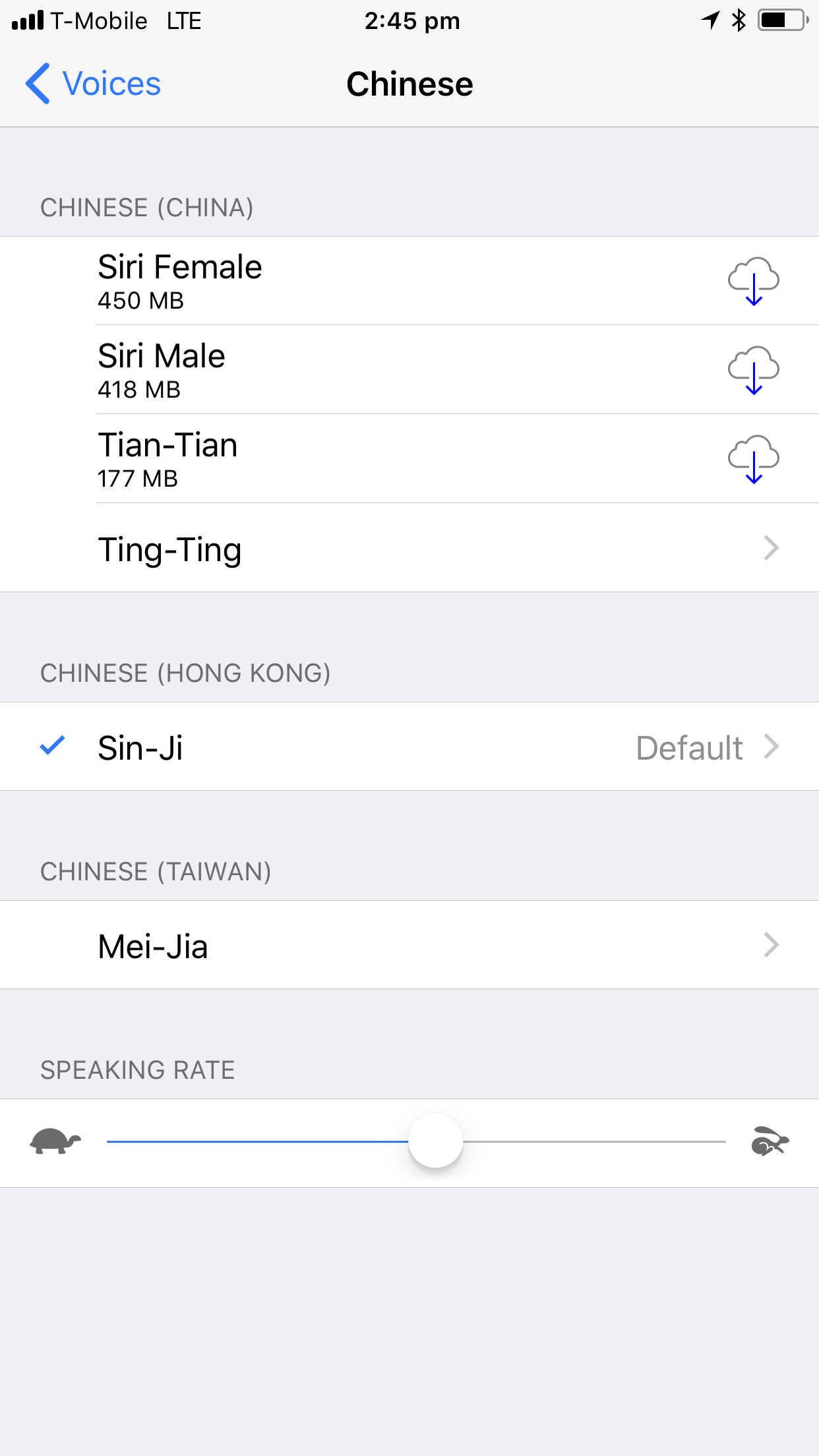
Under Voices > Chinese, select "Chinese (Hong Kong)"
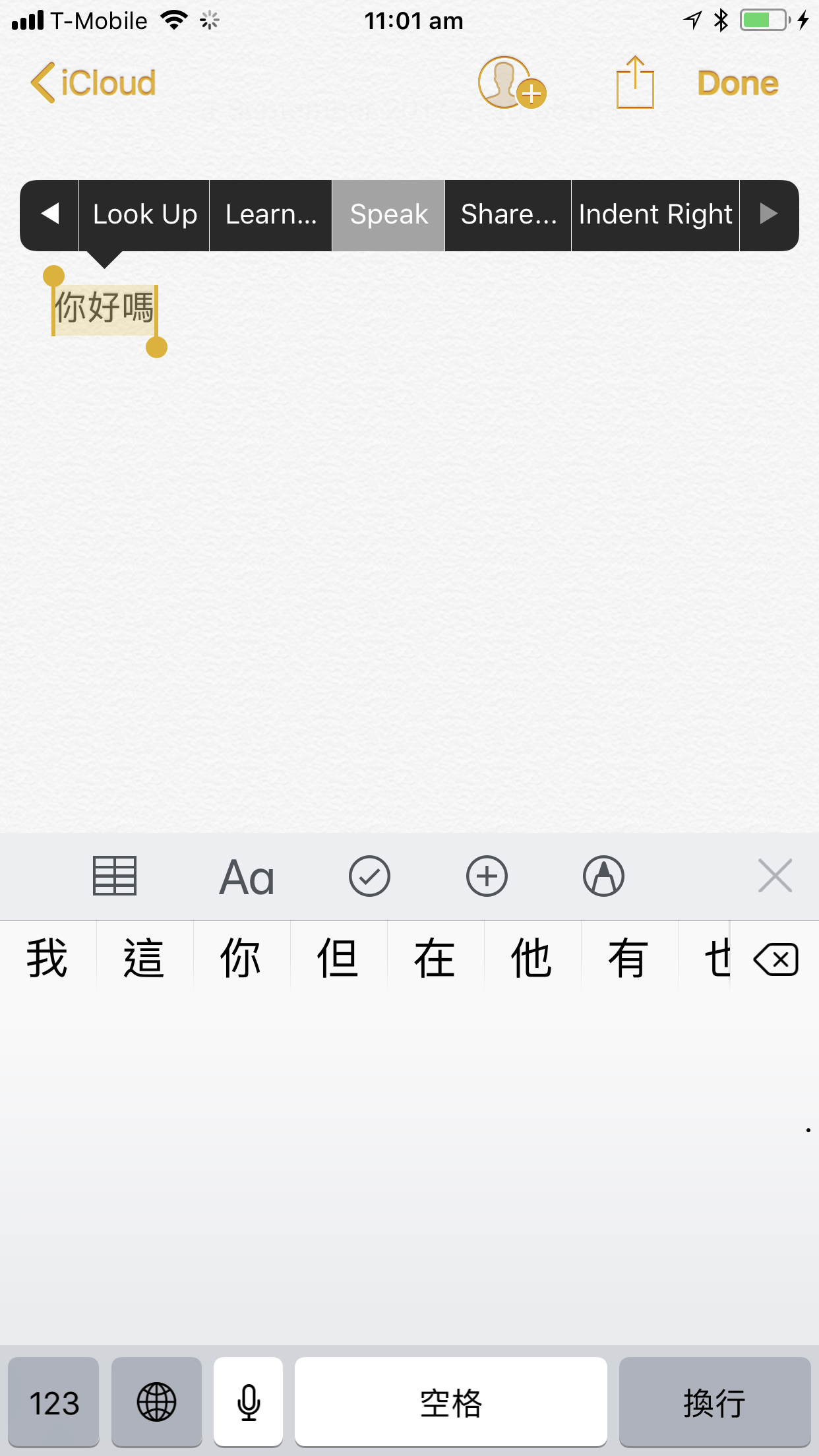
Now you can get your iOS Device to speak Cantonese by highlighting text and selecting Speak.
Siri
- Go to Settings > Siri & Search > Language and select “Chinese (Cantonese - Hong Kong)”
Now you can use Siri in Cantonese.
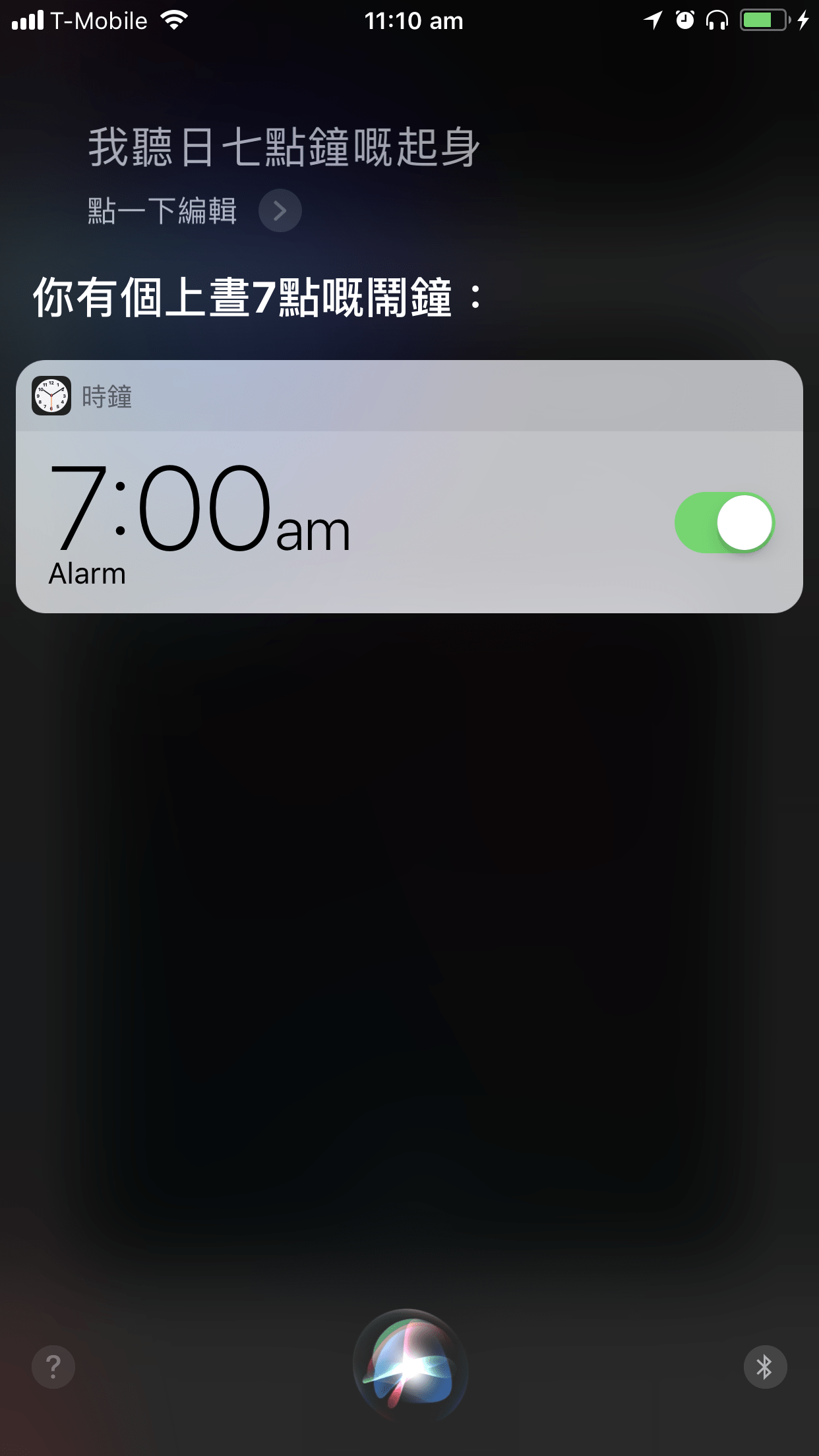
Tip: You can get Siri to listen to you with "Listen for '喂Siri'". Siri will ask you to repeat a few phrases:
- 喂Siri,傳送訊息。 (wai3 Siri,cyun4 sung3 seon3 sik1 。) (Hey Siri, Send a Message.)
- 喂Siri,今日天氣點呀? (wai3 Siri,gam1 jat6 tin1 hei3 dim2 aa3 ?) (Hey Siri, Today’s weather, how is it?)
- 喂Siri,設定三分鐘嘅計時器。(wai3 Siri,cit3 ding6 saam1 fan1 zung1 ge3 gai3 si4 hei3 。) (Hey Siri, set a 3 minute timer.)
- 喂Siri,播放音樂。(wai3 Siri,bo3 fong3 jam1 ngok6 。) (Hey Siri, Play Music.)
Footnotes
Note: This document is written for devices running iOS 11 or higher. Instructions vary for older devices.
- To find the iOS version installed on your device, go to Settings > General > About.
- If you are not running iOS 11, you can update it wirelessly or through iTunes.
Note: For bilingual users, iOS11 has separated Siri, Dictation, and Region from each other - allowing for better bilingual usage (e.g. English and Cantonese).
If you have any questions or suggestions, please get in touch at: cantonese.tools@gmail.com